

Build voice agents with EU and US residency and Zero Data Retention
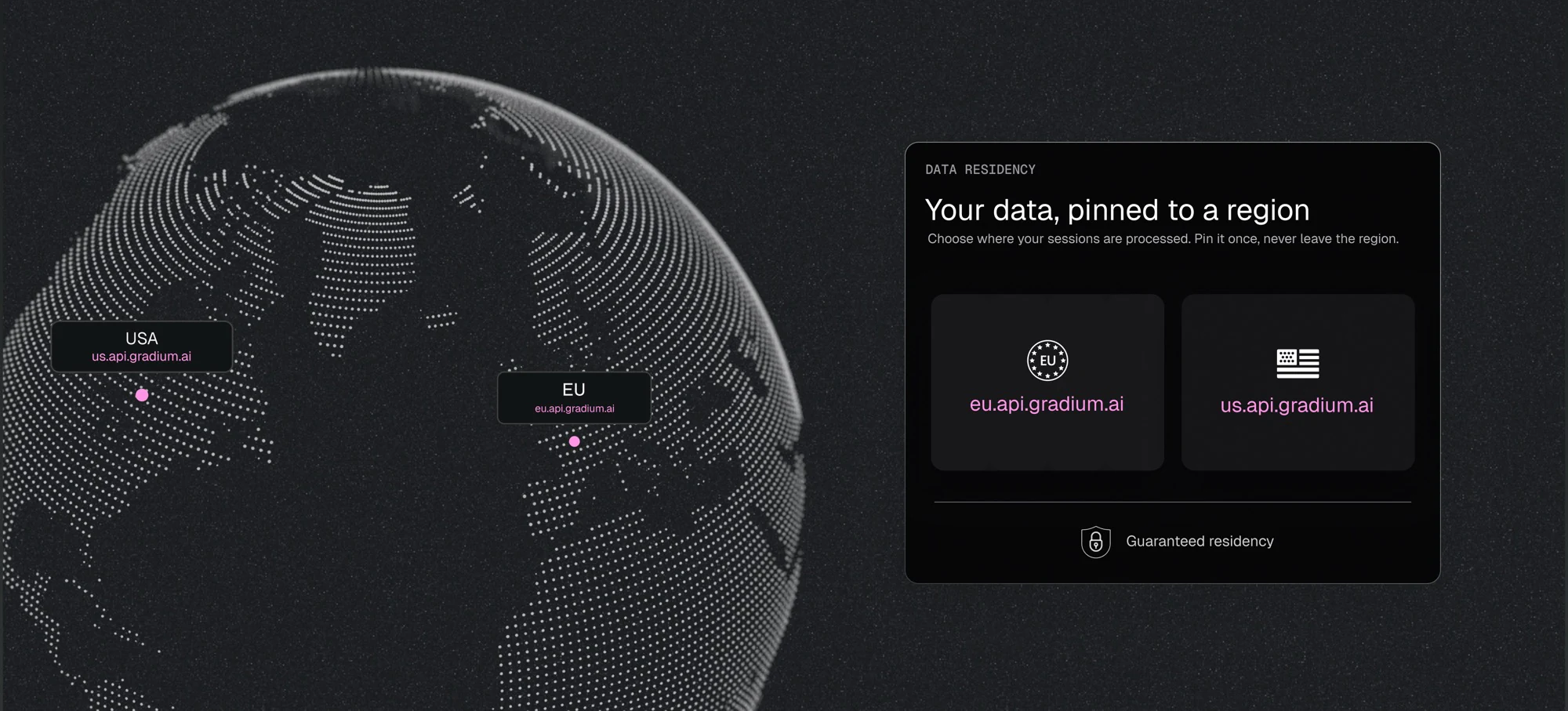
"Where exactly does the inference run, and what do you keep?" These two questions come up in almost every enterprise evaluation we run, usually once the latency and quality work is done and someone from legal or security joins the call.
Both are now settings on your organization. Data residency controls where your sessions are processed and reports it back on every response. Zero Data Retention controls whether the text and audio processed by our servers are kept after the call. This post covers how each one works, how to turn them on, and what we can offer teams whose review asks for a deployment in their own infrastructure.
Default rule is to route to the nearest server
By default, requests to api.gradium.ai are routed to the nearest server. If your users are in Europe, that is one of our EU servers. For most traffic this is what you want: shortest path, lowest time to first audio, nothing to configure.
How to enforce residency
The two region endpoints are eu.api.gradium.ai and us.api.gradium.ai. What either one gives you depends on whether your organization is enrolled in data residency.
If your organization is not enrolled, calling a region endpoint is a best-effort request. We serve the session from that zone whenever we can, and in practice most sessions are, but there is no commitment attached and a session can still be served from another zone.
If your organization is enrolled, the same call carries a guarantee. Sessions sent to eu.api.gradium.ai are processed in the EU, sessions sent to us.api.gradium.ai are processed in the US, and a session that cannot be served inside its zone is refused rather than served somewhere else. Every response reports which of the two you got, in the x-gradium-residency header over REST and the residency field of the ready message over WebSocket, so you can assert on it from your own client. The values and what each one commits us to are listed in the data residency guide.
The pin travels with the request and is checked by the server that receives it. Text-to-Speech, Speech-to-Text and Speech-to-Speech all behave the same way, over WebSocket and over the one-shot REST endpoints. Under load a session can be handed to another server inside the same zone. It cannot be handed to a server outside of it.
If a pinned request does reach another region, we refuse it. REST returns 403 Forbidden, WebSocket closes with code 1008, and both carry a reason naming the zone it should have been sent to, for example This request must be sent to the eu region endpoint.
We fail closed because region enforcement must happen before processing. If we cannot guarantee that a session will run in its zone, we reject it rather than risk processing data outside that zone.
Note that data that is not session data, such as account data, custom voices or custom pronunciations, lives in our control plane, which is hosted in the EU for every customer. That holds under US residency too: the sessions themselves are processed in the US, while custom voices and account data stay in our EU control plane.
How to pin your organization
Data residency is enabled by our team on paid plans. Contact support@gradium.ai with your organization name and the region you need, eu or us, then pick one of two modes.
Explicit is the default. Sessions are pinned when you call the region endpoint, eu.api.gradium.ai or us.api.gradium.ai, and calls to api.gradium.ai keep today's behavior. Choose this if only part of your traffic needs the guarantee.
Implicit pins your whole organization to its region, whichever endpoint you call. Choose this if all of your usage is in scope. It catches the base URL nobody updated: a background worker, a staging config, an SDK default that was never overridden. In explicit mode that call goes through, out of region, and looks fine. In implicit mode it fails on the first request and you fix it in a minute.
An organization has at most one implicit residency region. If different parts of your traffic need different regions, use explicit mode and pick the endpoint per integration.
Moving over is a base URL change. Same API key, same routes, same request and response formats. The SDK and WebSocket examples are in the data residency guide.
Zero Data Retention
Residency covers where a request is processed. It says nothing about what we keep afterwards, which is the second half of the question and a separate setting.
With retention disabled we do not store your request or response payloads. Those payloads are where the PII in a voice application sits: a support call transcript carries the customer's name, phone number and account details, and a Text-to-Speech request carries whatever your application put into the text. Retention is the setting that decides whether any of it survives the call. It covers both directions:
- Text-to-Speech: the text you send, and the audio the model returns.
- Speech-to-Text: the audio you stream, and the transcript that comes back.
- Speech-to-Speech: the input audio and the output audio.
With Zero Data Retention, those payloads still exist in memory for the duration of the session, but they are never written to disk anywhere. Usage counters and billing records stay, because we still have to meter and bill your account, but they hold no request or response content.
Custom voices sit outside this. A voice clone is not the input or output of a Text-to-Speech, Speech-to-Text or Speech-to-Speech call, it is an asset you asked us to create and keep, so it stays in your account until you delete it, or to the end of a deletion window where we have agreed one with you. Note that custom voices do live in Europe. If you need something different, reach out.
Retention is self-serve on our paid plans. In Gradium Studio, open the Profile dropdown, select My organization, and disable data retention under Privacy Settings.
Private and self-hosted deployments
Residency and retention cover where your requests run and what we store. Security reviews often ask one more thing: whether the data can stay within your private network boundaries.
If the requirement is that audio and text never leave your own environment, there are two possibilities. For AWS users, we offer self-hosted inference via Amazon SageMaker. A SageMaker endpoint can be deployed inside your own AWS account, so inference runs in your VPC. No data can be sent outside, and Gradium has no access to your deployed endpoints. We wrote about that when we launched on AWS. Otherwise, for teams whose policy rules out a cloud endpoint, we also offer Gradium deployments on your own premises. Contact us if you are interested in on-prem deployments.
Frequently Asked Questions
For an organization enrolled in data residency, Text-to-Speech, Speech-to-Text and Speech-to-Speech sessions sent to the EU endpoint run on Gradium's EU servers, over WebSocket or the one-shot REST endpoints. There is no cross-region fallback: under load a session may be served by another EU server, but never by a server outside the EU. A pinned request that reaches a non-EU server is refused rather than processed out of region.
Use https://eu.api.gradium.ai/api for REST, and wss://eu.api.gradium.ai/api/speech/tts or wss://eu.api.gradium.ai/api/speech/asr for WebSocket, or set base_url to https://eu.api.gradium.ai/api in the Python SDK. Everything else is unchanged: the same API key, the same routes, the same request and response formats.
Every response reports the residency the request actually got. Over REST, read the x-gradium-residency response header. Over WebSocket, read the residency field of the ready message. A value of pinned; zone=eu means the guarantee is in force. A value of best-effort; zone=eu means the session asked for the EU zone but the organization is not enrolled, so Gradium will do its best to serve it in the EU without being able to fully guarantee it. A value of none means the request carries no residency constraint at all. If you rely on the guarantee, assert on pinned in your client and treat anything else as a configuration error.
It is refused rather than processed out of region. REST returns 403 Forbidden, WebSocket closes with code 1008, and both carry the reason This request must be sent to the <region> region endpoint, naming the zone you are pinned to. Gradium fails closed because region enforcement has to happen before processing: if it cannot guarantee that a session will run in the zone you pinned it to, it rejects the request rather than risk processing the data outside that zone.
Explicit is the default: sessions are pinned when you call a region endpoint, eu.api.gradium.ai or us.api.gradium.ai, and calls to api.gradium.ai keep their existing behavior. Choose it when only part of your traffic needs the guarantee. Implicit pins your whole organization to its region whichever endpoint you call, which catches a base URL nobody updated in a worker or a staging config. An organization has at most one implicit residency region; if different parts of your traffic need different regions, use explicit mode and pick the endpoint per integration.
Data that is not session data, such as account data, custom voices and custom pronunciations, lives in Gradium's control plane, which is hosted in the EU for every customer, independently of the zone your inference runs in. Custom voices do live in Europe; contact support@gradium.ai if you need something different.
Zero Data Retention stops Gradium from retaining request and response payloads on both sides of every call, which is where the PII in a voice application sits: the input text and output audio for Text-to-Speech, the input audio and output transcript for Speech-to-Text, and the input and output audio for Speech-to-Speech. With Zero Data Retention those payloads still exist in memory for the duration of the session, but they are not written to disk anywhere. Usage counters and billing records are kept, since they are metadata about the call rather than its content. Custom voices sit outside this, since a voice clone is not the input or output of a call: they stay in your account until you delete them, or to the end of a deletion window where we have agreed one.
Zero Data Retention is available on paid plans and is self-serve. Sign in to Gradium Studio, open the Profile dropdown in the top right, select My organization, and disable data retention under Privacy Settings. From that point on, request and response payloads are no longer retained.
Yes. Gradium runs inference in both zones and the enforcement is per zone, so a US requirement is served the same way through https://us.api.gradium.ai/api, and wss://us.api.gradium.ai/api/speech/tts or wss://us.api.gradium.ai/api/speech/asr. A pinned US session runs on the closest US server, on the east coast or the west coast, can move between them under load, and will not leave the zone. Enrollment, explicit and implicit mode and the refusal behavior are identical; the value you check is pinned; zone=us.
Yes, in two ways, both of them self-hosted inference. The Gradium Text-to-Speech model deploys as an Amazon SageMaker endpoint inside your own AWS account, so inference runs in your VPC, no data can be sent outside, and Gradium has no access to your deployed endpoint. Gradium also deploys on-premise, on your own hardware, for teams whose policy rules out a cloud endpoint entirely.
No, they are independent and combine. Data residency governs where your requests are processed. Zero Data Retention governs whether request and response payloads are retained at all. Data residency is enabled on your plan by the Gradium team, for either zone, while Zero Data Retention is a self-serve toggle in Gradium Studio.